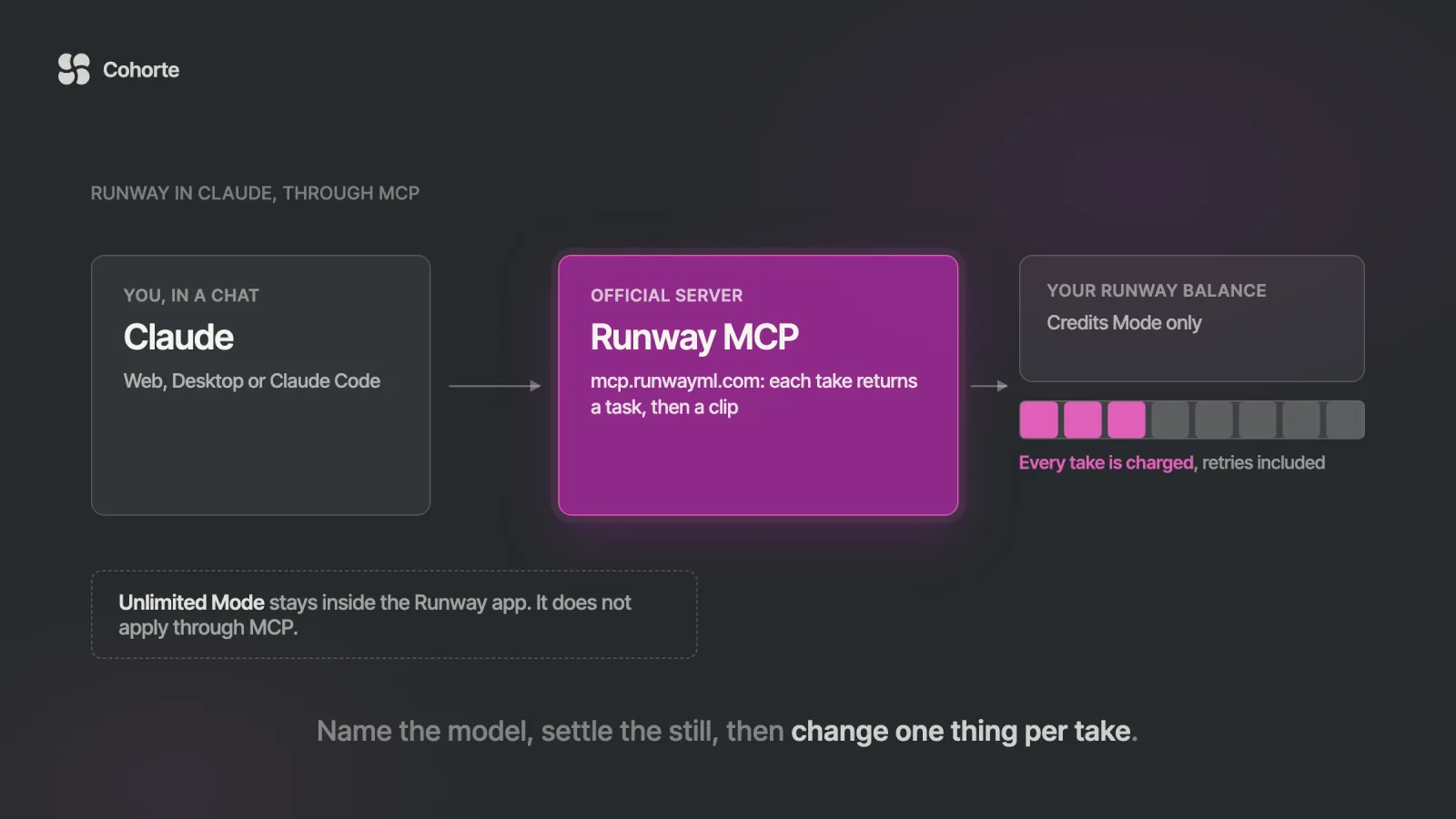
To use Runway inside Claude, add Runway's official MCP server as a custom connector. In Claude on the web or in Claude Desktop, open Customize, then Connectors, click Add, name it Runway, paste https://mcp.runwayml.com/mcp and sign in with your Runway account. In Claude Code, run claude mcp add --transport http runway https://mcp.runwayml.com/mcp and sign in through /mcp. You need a Runway account and no API key. Runway opened the server on May 27, 2026.
Once it is connected, Claude can generate images and video with Gen-4.5, Seedance, Kling, Veo, GPT Image 2, Nano Banana Pro and other models your Runway plan includes, and every result is saved to your Runway library. Each generation, retries included, spends credits from your Runway account, even on plans that have Unlimited Mode in the Runway app. Gen-4.5 costs 12 credits per second, so a five-second clip uses 60 of the 2,250 credits a month on Runway Pro ($35 a month, or $28 billed yearly). On Claude's side, custom connectors work on every plan, and the free plan allows one.
Here is the shape this usually takes. A marketing lead on Runway Pro connects Runway to Claude on a Monday, because writing the launch copy and making the launch clip in one conversation sounds like a good week. She asks for an eight-second product shot with sound and leaves the model choice to Claude. Say it lands on Veo 3.1 with audio, which Runway prices at 40 credits a second. The first take has the wrong light, so she asks for a warmer one, then a slower camera, then a tighter crop.
Each of those requests is a new generation at 320 credits. Five takes in, she has spent 1,600 of her 2,250 monthly credits, about 71% of the month, before Wednesday. In the Runway app, her Pro plan includes Unlimited Mode, which generates on supported models without using credits. Through MCP the connector only runs in Credits Mode, and Runway's help center says so plainly. Nothing in the chat looked like spending, because the chat looked exactly like writing.
The connector is excellent, and that cost curve is the part to understand before you connect it. This guide covers setup in Claude and Claude Code, credits on both sides, a worked prompt-to-video run, the limits, and when a skill on the Runway API fits better.
What the Runway connector can do in Claude
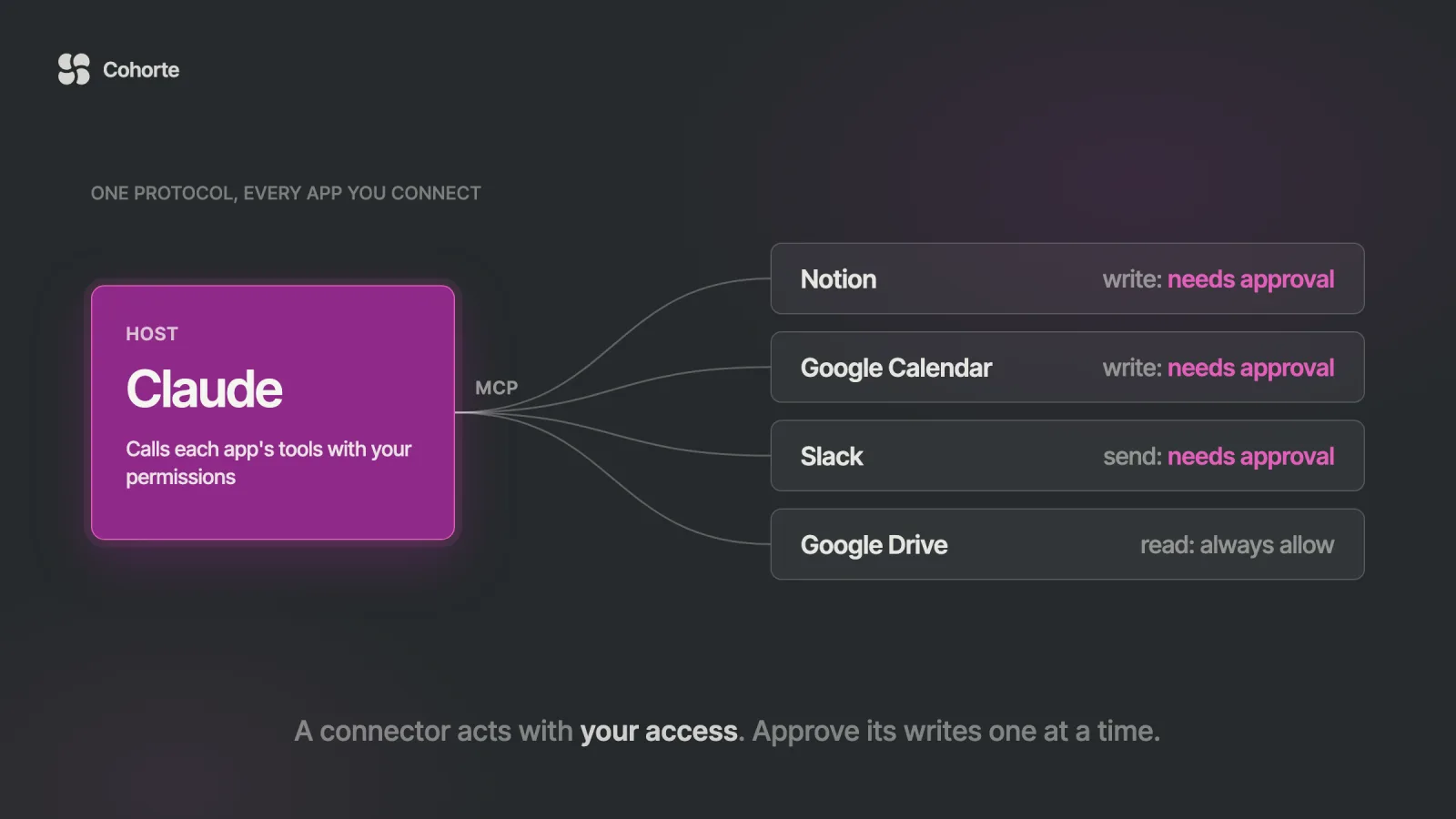
Runway MCP is a remote server that Runway hosts. Claude talks to it over the Model Context Protocol, the same standard behind every Claude connector, and you sign in once with OAuth. After that, Claude can call Runway's tools in any conversation where the connector is switched on.
The server exposes far more than one "make a video" button. The tool names below come from Runway's own plugin repository. The live tool descriptions on the server carry the current models, ratios and durations, and Claude reads those before it picks parameters.
| What you ask for | Tool Claude calls |
|---|---|
| A new image | generate_image |
| Video from text, or an image animated into video | generate_video (the image goes in as the start frame) |
| Restyle a whole clip | generate_video with a reference video |
| Change one thing in a clip and keep the rest | edit_video |
| A new aspect ratio for a clip | expand_video |
| A multi-scene story from one prompt | generate_multishot_video |
| An ad from a product URL or product photo | generate_product_marketing_video |
| The same ad in another language | localize_ad |
| Music, sound effects, a voice | generate_music, generate_sound_effect, generate_speech |
| Background removal, upscaling, HDR | remove_image_background, remove_video_background, upscale_image, upscale_video, convert_video_to_hdr |
| Saved Runway workflows | list_workflows, get_workflow, run_workflow |
| Your library, account and credits | list_recent, whoami, list_workspaces, show_plans_and_credits |
On models, Runway's help center names Seedance 2.0, Kling, Gen-4.5, Veo, GPT Image 2 and Nano Banana Pro, "and more based on your Runway account plan." The Runway MCP page lists Seedance 2.5, Kling 3.0, Veo 3.1, Gen-4 Image and Gen-4 Turbo as well. Claude can pick a model for you, or you can name one. Naming one is the single easiest way to control cost, as the opening case shows.
What comes back to the chat
Generation takes a while, so the tools answer straight away with a task ID. Where the client renders an inline viewer, it polls on its own. Otherwise Claude checks the task with get_task and reports the asset URL once the result is ready. A failed task returns a short reason and a hint, and Runway's instructions ask the agent to pass those on instead of retrying blindly.
Every result is also saved in your Runway library next to the rest of your work, so you can open it in the Runway app, edit it there, or find it again next month. One detail matters for judging quality. Claude reads images, so it can comment on a still. A finished clip reaches it as a link and a task status, which means Claude can confirm a render succeeded without seeing how the motion looks. Judging the clip stays your job.
Inputs: prompts, URLs and your own files
Text prompts and public image URLs go straight in. A local file needs an upload first: the tools return ready-to-run curl commands, which Claude Code can run itself, and hand back a Runway-hosted asset URL. Output from an earlier Runway call can be passed by its task ID, which is how a still becomes the first frame of a video.
Three different "Runways" in Claude's world
This trips people up. Claude's connector directory has an entry called Runway (runway.team). That is a different company, which automates mobile app releases, and it cannot make a single frame of video. The generative Runway is added as a custom connector with the URL above.
There is also Runway Dev, which is verified in Anthropic's plugin directory. It connects a coding agent to a Runway developer account so it can look up models, prices and failed tasks, and it ships skills for building with the API. Runway's developer docs say it plainly: "The plugin does not generate media." Generation through Runway Dev happens in your own app through the API. If you want video in the chat, the server at mcp.runwayml.com is the one you want.
How to connect Runway to Claude on the web and in Claude Desktop
On a personal Claude plan (Free, Pro, Max or Ultra), the whole setup takes about a minute.
- Open claude.ai or Claude Desktop. Runway's shortcut,
claude.ai/customize/connectors?modal=add-custom-connector, opens the add window directly. - Otherwise, select Customize in the sidebar, choose Connectors and click Add, then Add custom connector.
- Enter Runway as the name and paste
https://mcp.runwayml.com/mcpas the URL. - Click Connect and sign in to your Runway account in the window that opens. Runway then shows up in your list of connectors.
- In each new conversation, open the + menu, then Connectors, and check that Runway is switched on.
Connectors you add in claude.ai follow your Claude account, so the same Runway connection works in Claude Desktop and the mobile apps without a second setup. Anthropic's custom connector guide notes one quirk: to change a connector's details later, you remove it and add it again.
On a Claude Team or Enterprise plan
Members usually cannot add custom connectors themselves. An owner adds it once under Organization settings, then Connectors, Add, Custom, Web, with the name Runway and the same URL. Each member then finds it under Customize, then Connectors, and clicks Connect to sign in to their own Runway account. Claude only reaches what that person's Runway account can reach, and credits come out of the workspace that person selects in Runway.
Check the connection before you spend anything
Your first prompt should cost zero credits. Ask something like this:
Use Runway to tell me which workspace I'm signed in to, which plan it's on and how many credits are left.
Claude should call whoami and show_plans_and_credits. If the answer names the right workspace and a balance you recognize, the connector works. If a tool returns an authentication error, disconnect Runway under Customize, then Connectors, and connect it again.
How to add Runway to Claude Code
Claude Code takes one command. The server speaks Streamable HTTP only, so the transport has to be http. Runway's help center says an SSE connection returns a 405 error.
# available in every project on this machine
claude mcp add --transport http --scope user \
  runway https://mcp.runwayml.com/mcp

# sign in (or run /mcp inside a session)
claude mcp login runway
claude mcp list
Leave out --scope user to add it to the current project only. Use --scope project to write it to a shared .mcp.json that your team commits, and each person still signs in with their own Runway account.
There is a shortcut if you already added Runway in claude.ai. When you log in to Claude Code with a claude.ai subscription, your claude.ai connectors appear in /mcp automatically, marked as coming from claude.ai. If you then add the same URL with claude mcp add, Claude Code's MCP documentation says your local entry wins and the claude.ai connector is listed as hidden. Pick one, so you are not signing in twice and guessing which one Claude used.
Keep generations behind a prompt
Claude Code is where the connector gets most powerful and where it most needs a seatbelt. An agent can loop, generating again whenever it thinks it can do better, and each pass is a charge. Claude Code asks before it runs an MCP tool by default. Permission rules keep that prompt on the expensive tools and skip it for harmless reads:
{
  "permissions": {
    "allow": [
      "mcp__runway__whoami",
      "mcp__runway__show_plans_and_credits",
      "mcp__runway__list_recent",
      "mcp__runway__get_task"
    ],
    "ask": [
      "mcp__runway__generate_*",
      "mcp__runway__edit_video",
      "mcp__runway__expand_video",
      "mcp__runway__upscale_*"
    ]
  }
}
Put that in .claude/settings.json. Claude Code evaluates deny rules first, then ask, then allow, so a matching ask rule still prompts even if someone later adds a broader allow rule. The server name in each rule is whatever you called it in claude mcp add. Tools from a connector that Claude Code fetches from claude.ai appear as mcp__claude_ai_<server>__<tool>, so check the exact names in /mcp before you rely on the rules. One caution: bypassPermissions mode skips these prompts, so keep it away from sessions that have Runway connected.
A connector gives Claude access to Runway. If you also want Claude to follow your house rules every time, such as your brand's aspect ratios, a model that fits the budget and a still before every video, that is the job of a skill. Our guide to Agent Skills vs MCP explains how the two fit together.
How Runway credits and Claude plans work together
Two bills are involved, and only one of them grows with every take. Claude's plan decides whether you can add the connector. Runway's plan decides what each generation costs and how many you get.
The Claude side
Custom connectors are available on Claude's Free, Pro, Max, Ultra, Team and Enterprise plans. The free plan is limited to one custom connector, so a free Claude account can run Runway as long as it is the only custom connector. On Team and Enterprise, an owner has to add it first.
One Claude feature deserves a warning. Anthropic's guide says Research can call connector tools automatically without asking for approval each time, and it recommends disabling write-capable tools before you use it. With Runway, "write-capable" means "spends money," so switch Runway off for a conversation before you start a Research run in it.
The Runway side
Every generation through MCP draws on your Runway credit balance, the same way it would in the Runway app, and credits are charged when the generation runs. These are Runway's current plans, from its pricing page and its credits guide:
| Runway plan | Price per month | Credits | Unused credits |
|---|---|---|---|
| Free | $0 | 125, one time | Never expire, never refill |
| Standard | $15 monthly, $12 billed yearly | 625 a month | Expire on your billing date |
| Pro | $35 monthly, $28 billed yearly | 2,250 a month | Expire on your billing date |
| Max | $95 monthly, $76 billed yearly | 9,500 a month | Up to one month rolls over |
| Team | Per seat | 6,900 per seat, pooled | Up to one month rolls over |
Purchased credits never expire, and paid plans can buy 1,000 or more at a time. A shared workspace draws from one balance. Free plan videos carry a Runway watermark, and free accounts cannot buy more credits.
Runway's pricing page lists "Runway MCP" among the features of Pro and Max, and leaves it off the Free and Standard cards. The help center sets no plan minimum, and the model list depends on your plan, so test the connection with the zero-cost prompt above before you decide a cheaper plan is enough.
Unlimited Mode does not apply through MCP
This is the line in Runway's documentation that matters most for budgets. Runway MCP only supports Credits Mode. Pro and Max subscribers who generate freely in Unlimited Mode in the Runway app still pay credits for every MCP generation, and so do people on legacy Unlimited plans with Explore Mode. Runway gives an example: an upscale that is free in Unlimited Mode in the app still costs credits when it runs through MCP.
The practical rule follows from that. Explore in the Runway app, where Unlimited Mode covers the supported models on Pro and Max, and use Claude for the takes you already know you want, or for work where the conversation itself adds something, such as writing a script and storyboard and producing the shots in one place.
What a take actually costs
Runway publishes credit rates per model, and video is billed per second. These figures come from Runway's credits guide and its plan examples:
| Generation | Credits | Share of Pro's 2,250 |
|---|---|---|
| One Nano Banana Pro image at 2K (from Runway's Pro example: 112 images for 2,240 credits) | 20 | Under 1% |
| Five seconds of Gen-4.5 at 12 credits a second | 60 | 2.7% |
| Ten seconds of Gen-4.5 | 120 | 5.3% |
| Eight seconds of Veo 3.1 with audio | 320 | 14.2% |
Retries and regenerations are separate generations, and each one is charged. So the real cost of a finished clip is the price per take multiplied by the number of takes it took, which is why the model you name matters more than how clever the prompt is.
App credits and API credits are also two separate pools. Runway's credits guide says credits bought in the Runway app never appear in your API balance, and the reverse holds too. API credits are bought in the developer portal at $0.01 each. That separation comes back in the section on skills.
A worked example: a five-second product video from one conversation
Here is a flow that works well in claude.ai or Claude Code. Say you are launching a ceramic coffee mug and need a short loop for the product page. The credit figures assume Runway's rates above; the tool names are the ones the connector exposes today.
Step 1: set the rule for spending
Runway's own help center suggests telling the assistant to check with you first. Make it the opening line of the conversation:
Always ask me before you start any generation with Runway. Before each one, tell me the model, the duration and the estimated credits.
In claude.ai you also get an approval card the first time Claude calls each tool. Click Allow once for generation tools and keep Always allow for the free ones, such as checking the task or your balance.
Step 2: get the still right first
A still is the cheapest place to make decisions about light, angle and props. Runway's Standard plan guide gives the same advice: use image models for experimentation before you move to video.
Generate a 16:9 product image with Nano Banana Pro: a matte white ceramic mug on a pale oak table, morning window light from the left, soft shadows, steam rising, nothing else in frame.
Claude calls generate_image, gets a task ID, then reports the image when it is ready. At 2K that is about 20 credits. If the light is wrong, ask for one change at a time ("same shot, light from the right"). Three or four stills cost less than a single eight-second video with audio.
Step 3: animate the still you chose
Use that image as the first frame of a 5-second Gen-4.5 video at 16:9. Slow push-in on the mug, steam drifting, no other movement. No audio.
Claude passes the image's task ID to generate_video as the start frame, so the composition you approved carries into the video. Gen-4.5 at five seconds is 60 credits. Runway's guide also suggests starting with shorter durations and without audio, and both habits cut the cost of every take.
Step 4: iterate with the right tool
When the first video is close, resist the urge to say "do it again but better." That starts a full new generation and leaves the model to guess what "better" means. Pick the tool that matches the change:
- One element is wrong (the steam is too thick, a reflection is distracting): ask for
edit_videoand name the one thing to change and what to keep. - The motion is wrong (too fast, wrong direction): a new
generate_videofrom the same start frame, with one changed instruction. - The format is wrong (you need 9:16 for social):
expand_videoextends the frame instead of regenerating the shot. - It is right but soft: upscale it last, once, on the take you keep.
Edits have their own price. Runway's Pro plan example puts three five-second edits with Aleph 2.0 at 420 credits, so ask Claude for the estimate before each one, as your opening rule already requires.
Step 5: collect the file
The finished clip sits in your Runway library. In Claude Code, you can also have Claude save the asset URL to disk next to the project:
# paste the asset URL Claude reported
curl -L -o mug-hero-16x9.mp4 "$ASSET_URL"
A run like this one, with three stills and two video takes, lands around 180 credits on Runway's published rates, or 8% of a Pro month. The opening case spent 1,600 on five takes. Most of that gap came from naming the model, settling the still before any motion, and changing one thing at a time.
Limits of the Runway MCP connector
- Credits Mode only. Every generation costs credits, including on plans with Unlimited Mode, and including tools such as upscaling that are free in Unlimited Mode in the app.
- Every take is billed. Retries and regenerations are separate generations. A tool failure returns a reason; read it before asking again.
- Plan-dependent models. Which models Claude can use depends on your Runway plan, and Runway's pricing page lists the MCP feature on Pro and Max.
- Streamable HTTP only. SSE and stdio are unsupported, and an SSE connection returns a 405 error.
- Claude cannot watch the result. It can look at stills and read task statuses. Whether the motion looks good is your call.
- Research runs tools without asking. Switch Runway off before you use it.
There is also the usual connector risk. The product-to-ad tool reads a web page you point it at, and any page can carry text written for a model. A Runway session should hold Runway and the documents you trust. Our MCP security checklist covers how instructions hidden in tool results reach an agent, and what to do about it.
When to build a Claude Code skill on the Runway API instead
The connector is built for a person in a conversation. You describe the shot, look at it, decide, and ask again. It bills a personal or team Runway subscription and saves to your Runway library. That is the right shape for a marketer making launch assets, a founder making a product loop, or a developer who needs a hero video for the site they are building in Claude Code.
It becomes the wrong shape when the video is part of your product. A "generate a clip" button inside your own app, a nightly batch of 200 localized ads, or a pipeline that needs retries, queues and per-customer cost caps all want the Runway API. That has its own account, its own keys and its own credits at $0.01 each, completely separate from your Runway app plan.
| Runway MCP connector | Runway Dev plugin | Your own skill on the Runway API | |
|---|---|---|---|
| Where it runs | claude.ai, Claude Desktop, Claude Code | Claude Code (and other coding agents) | Claude Code, then your own app |
| Generates media in the chat | Yes | No | Through code you write |
| Sign-in | Runway account, OAuth | Runway developer account, OAuth | API key in your environment |
| Billing | Runway app credits, Credits Mode | Nothing on its own | API credits at $0.01 each |
| Best for | One person making assets | Developers integrating the API | Production features and batches |
Runway Dev sits in the middle: it helps a coding agent build against the API, checking models, prices and failed tasks, and its skills teach the official SDKs. Runway's install guide gives the Claude Code commands. If your team is going down that road, our guide to building a Claude Code skill on the Runway API covers the production side: async tasks, concurrency, retries and cost guardrails.
A simple test decides it. If a human looks at every output before it goes anywhere, use the connector. If outputs go to customers or into a pipeline without a person in between, write the code, and let a skill hold the rules for how your team builds it.
What I'd do
Add Runway as a custom connector, run the zero-cost credits check, and put the "always ask me first, with the model and the estimated credits" line at the top of every Runway conversation. Name the model every time, decide on a still before any motion, ask for one change per take, and do open-ended exploration in the Runway app, where Unlimited Mode covers supported models on Pro and Max. In Claude Code, add the ask rules for generation tools before you hand the agent a creative brief. If the clips start feeding your product, move that part to the API and write the house rules down as a skill.
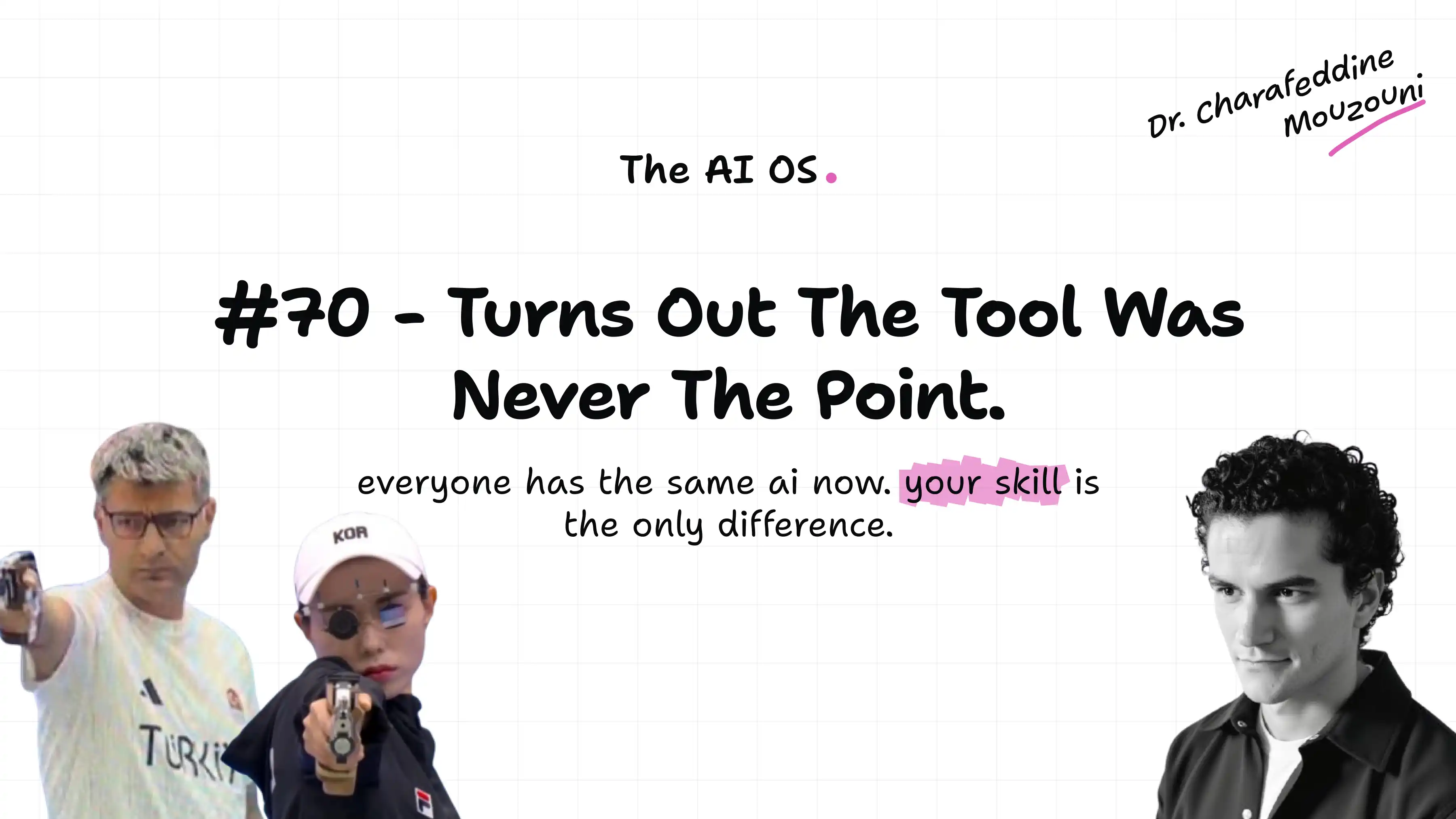
The creative judgment is the expensive part, and it is also the part the connector cannot supply. Our AI OS Course shows you how to build a Claude setup around your own context, rules and checks, the AI Operating System we keep the method in. For teams putting this into production, Cohorte for teams is where we work with companies directly. And Charafeddine Mouzouni's letter Turns out the tool was never the point explains why two people with the same AI subscription get such different results.
FAQ
How do I connect Runway to Claude?
In claude.ai or Claude Desktop, open Customize, then Connectors, click Add, then Add custom connector. Name it Runway, paste https://mcp.runwayml.com/mcp, click Connect and sign in to your Runway account. On a Team or Enterprise plan, an owner adds it first under Organization settings, and each member then connects their own account.
Can Claude generate videos with Runway?
Yes. With the Runway connector on, you describe a video or give a reference image, Claude calls Runway's tools, and the result comes back to the conversation and into your Runway library. It can also create images, edit and extend clips, change aspect ratios, upscale, and make music, sound effects and speech.
Does Runway in Claude cost extra?
Every generation uses credits from your Runway account, including retries, and MCP runs only in Credits Mode, even on plans with Unlimited Mode. A five-second Gen-4.5 clip is 60 credits. On Claude's side, custom connectors are available on every plan, with one custom connector on the free plan.
Do I need a Runway API key to use Runway in Claude?
No. You sign in with your normal Runway account when you connect. The API key route is for building on the Runway API, which uses a separate developer account and separate credits at $0.01 each.
Does Runway MCP work in Claude Code?
Yes. Run claude mcp add --transport http runway https://mcp.runwayml.com/mcp, then sign in with /mcp or claude mcp login runway. If you already added Runway in claude.ai and log in to Claude Code with that account, the connector appears in /mcp automatically.
Why can't I find Runway in Claude's connectors directory?
The generative Runway is added as a custom connector with its URL. The directory entry called Runway (runway.team) belongs to a different company that automates mobile app releases, and Runway Dev in the plugin directory is a developer tool that does not generate media.
The marketing lead from the opening did nothing wrong. She used the connector the way it invites you to, conversationally, and the bill followed the conversation. Naming a model, deciding on a still first and changing one thing per take would have turned her 1,600 credits into a couple of hundred.
Treat every take as a purchase, and the connector turns into one of the best creative tools you can put in Claude.
Charafeddine MouzouniNovember 8, 2026