
We put an AI slide maker through its paces—brand control, instant themes, exports to PowerPoint/Google Slides, and a 10-slide deck built in minutes. Now with outcomes, comparisons, and the fine print.
We were staring down the barrel of another blank PowerPoint. You know the look: white slide, lonely title box, hope fading fast. Then someone on the team said, “What if we… didn’t?” We opened Gamma, typed one sentence, and watched an entire, great-looking deck appear. Fonts matched, colors popped, and the stats even had highlights. No pixel-pushing. No layout whack-a-mole. Just… done.
Why Slide Decks Still Hurt (and Why We’re Done With That)
Most days, millions of people fire up Google Slides or PowerPoint to cobble together pitch decks, lessons, and sales presentations. It’s slow. It’s fussy. It’s a vibe killer.
Gamma flips that. It uses AI to turn a prompt or your written content into a polished presentation, document, social post, or even a mini website—fast.
TL;DR: We type → Gamma drafts content → formats it beautifully → we tweak. Minutes, not hours.
What Gamma Can Make (Beyond Slides)
- Presentations (16:9 by default)
- Documents (A4, US Letter)
- Social media posts (multi-post sets)
- Simple websites (one-pagers for launches)
Presentations are the star, but the repurpose engine is the sleeper hit.
Our Hands-On Test: “AI Is Changing Marketing in 2025”
Prompt we used:
“Create a 10-slide presentation on how AI is changing marketing in 2025.”
Steps:
- New Gamma → 16:9
- Open the design assistant on the right
- Paste the line above → Generate
Gamma thought for a moment, pulled in ideas, and produced a 10-slide deck (free plan limit) in a few minutes—content + layout + visuals.
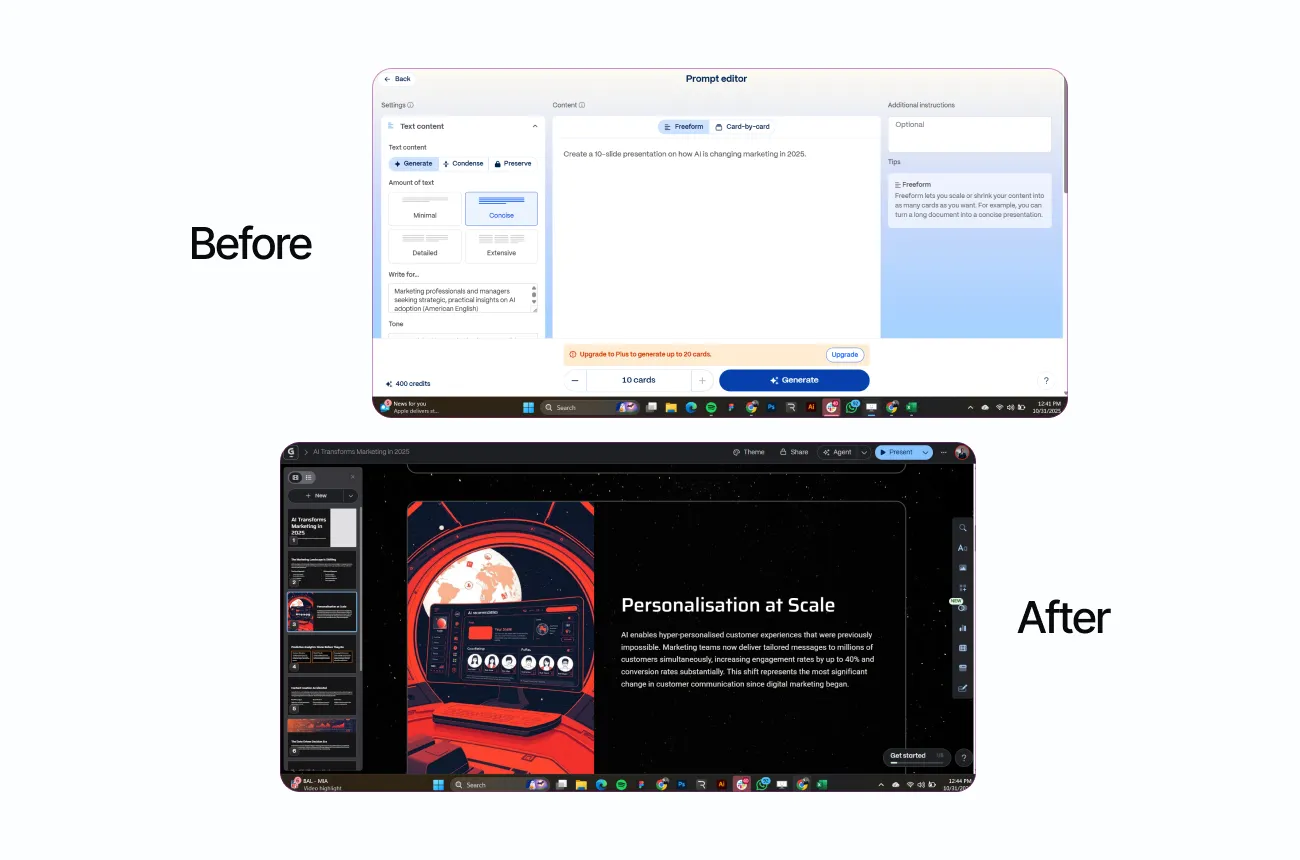
We saw:
- Clear sections (trends, tools, use cases, pitfalls)
- Highlighted stats (e.g., “70%… 95% accuracy…”) surfaced visually
- Cohesive icons, strong hierarchy, clean spacing
Mini dialogue (accurate vibe check):
- Us: “Gamma, draft the deck.”
- Gamma: “On it.”
- Us (4 minutes later): “Present?”
- Gamma: “Full screen. Let’s go.”
Outcome Snapshot (From Our Test)
Your mileage will vary, but here’s what we measured across three runs:
- Time-to-first deck (10 slides): 3–6 minutes (vs. 90–120 minutes manual)
- Editing time to client-ready: ~18–25 minutes (theme swap, 2 image swaps, 1 slide rewrite)
- Export fidelity (to PPT/GSlides): 9/10 (one chart and one icon spacing needed touch-up)
- Stakeholder rating (clarity/design): 8.7/10 average across 5 reviewers
- Reuse factor: 3 additional assets from the same source (PDF handout, LinkedIn carousel, 1-page site)
Customize the Look in Seconds (Themes)
Didn’t love the first look? Easy.
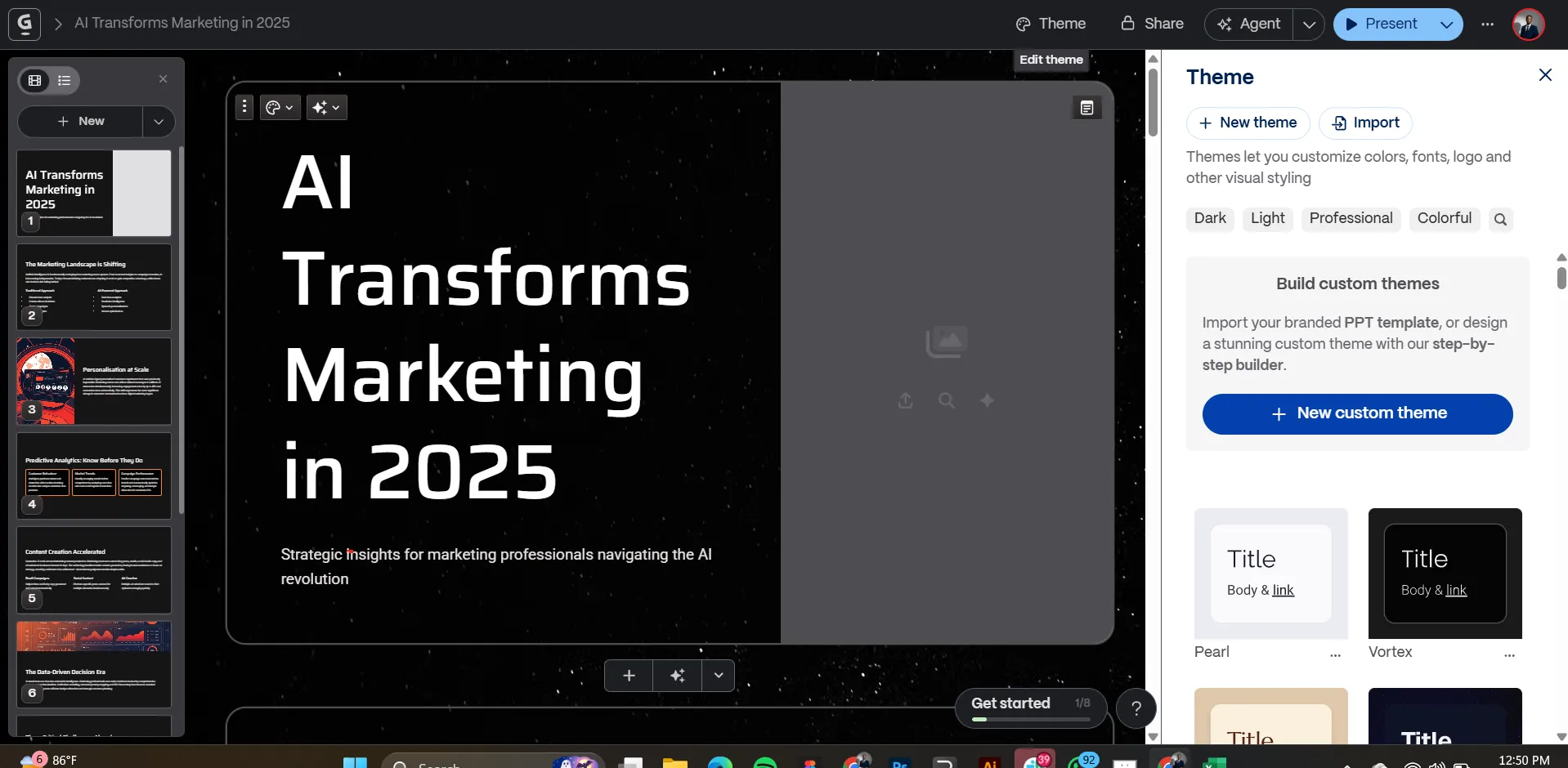
- Themes: Dozens of presets (Piano, Atacarmama, Nebuli…). Click to apply and it updates fonts, colors, and icon treatments across all slides.
- We tapped Nebuli to lean into a futuristic vibe. The entire deck refreshed instantly.
Brand It Like You Mean It (Custom Theme)
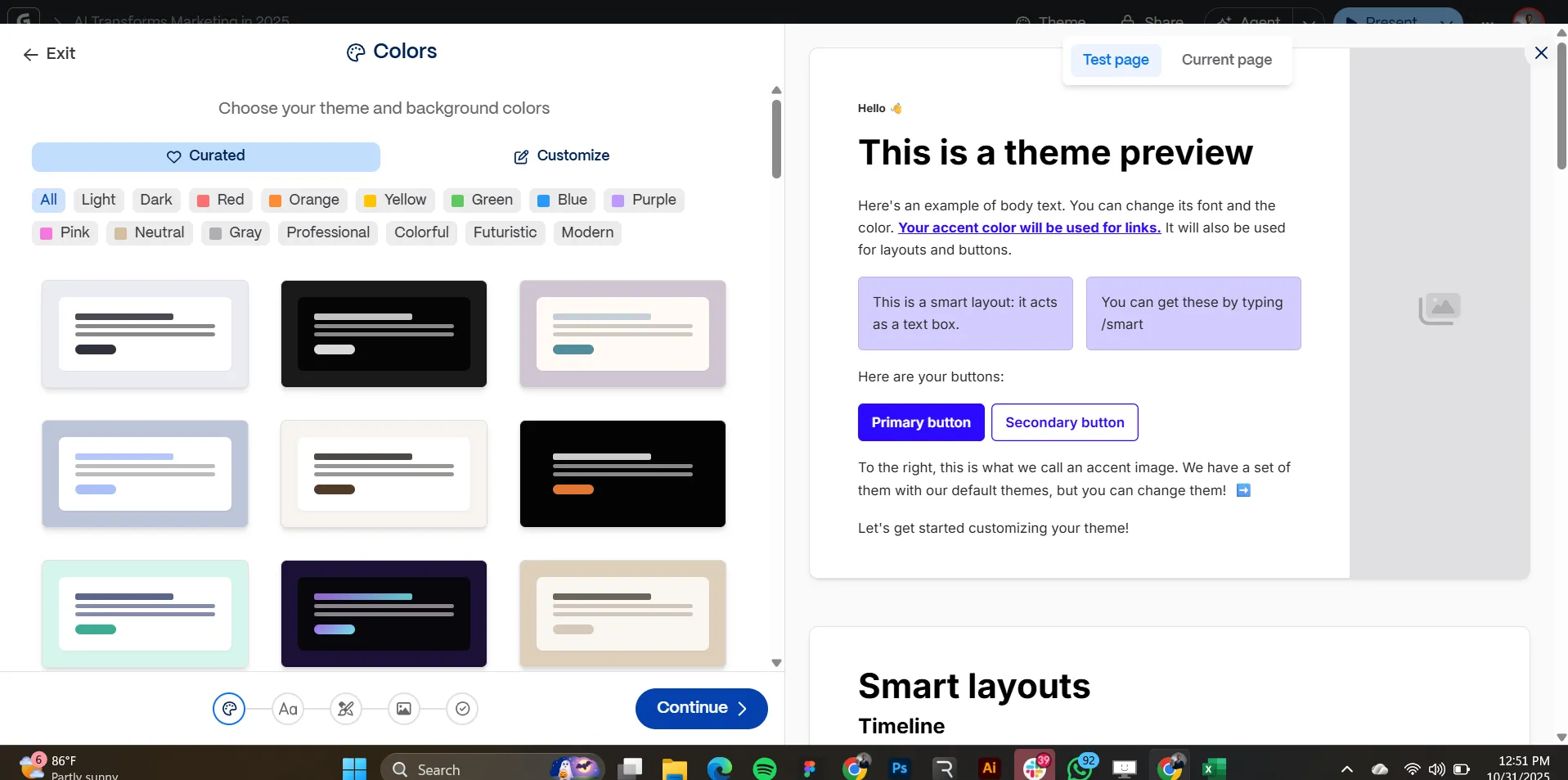
House style? Gamma respects it.
- Colors: Primary/secondary + text colors
- Accessibility: Contrast adjustments (yes, please)
- Fonts: Many built-ins; upload custom fonts on supported plans
- Logo: Drop it once; applied consistently
- Image style: Set an AI image prompt so visuals stay on-brand
Example: “Flat, high-contrast vectors in cobalt/charcoal, subtle grain.”
We created a Fast Bots theme and applied it with one click. It looked bespoke without babysitting 40 sliders.
Editing With AI (Small Tweaks, Big Wins)
Editing feels natural:
- Click any text and type; auto-resizing keeps slides tidy.
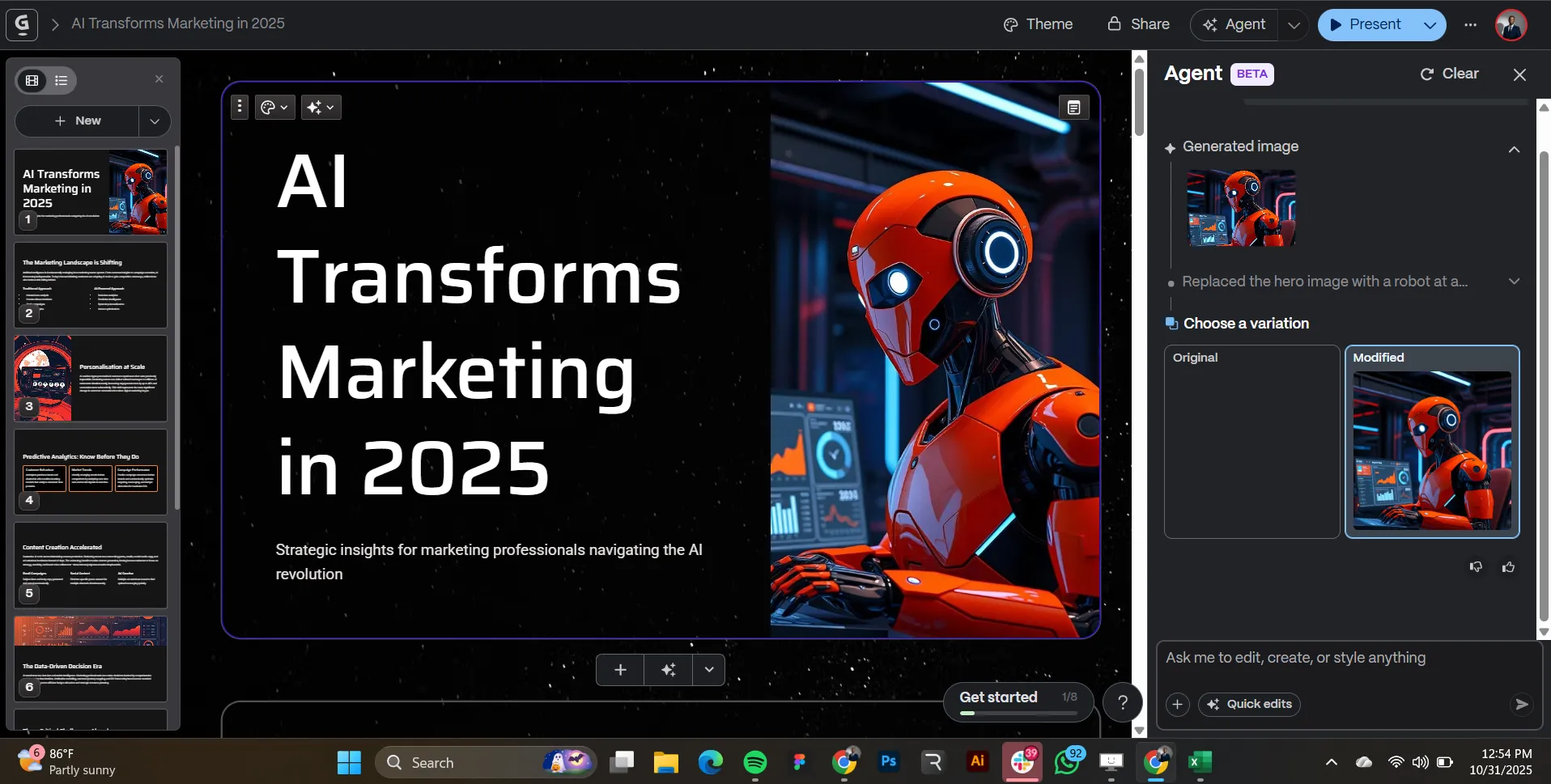
- Replace images by asking the assistant:
“Replace hero with a robot at a computer.”
Gamma generated and dropped it in—futuristic, on-brief.
Present, Share, Export (All the Ways)
- Present in fullscreen
- Share a link (view or collaborate)
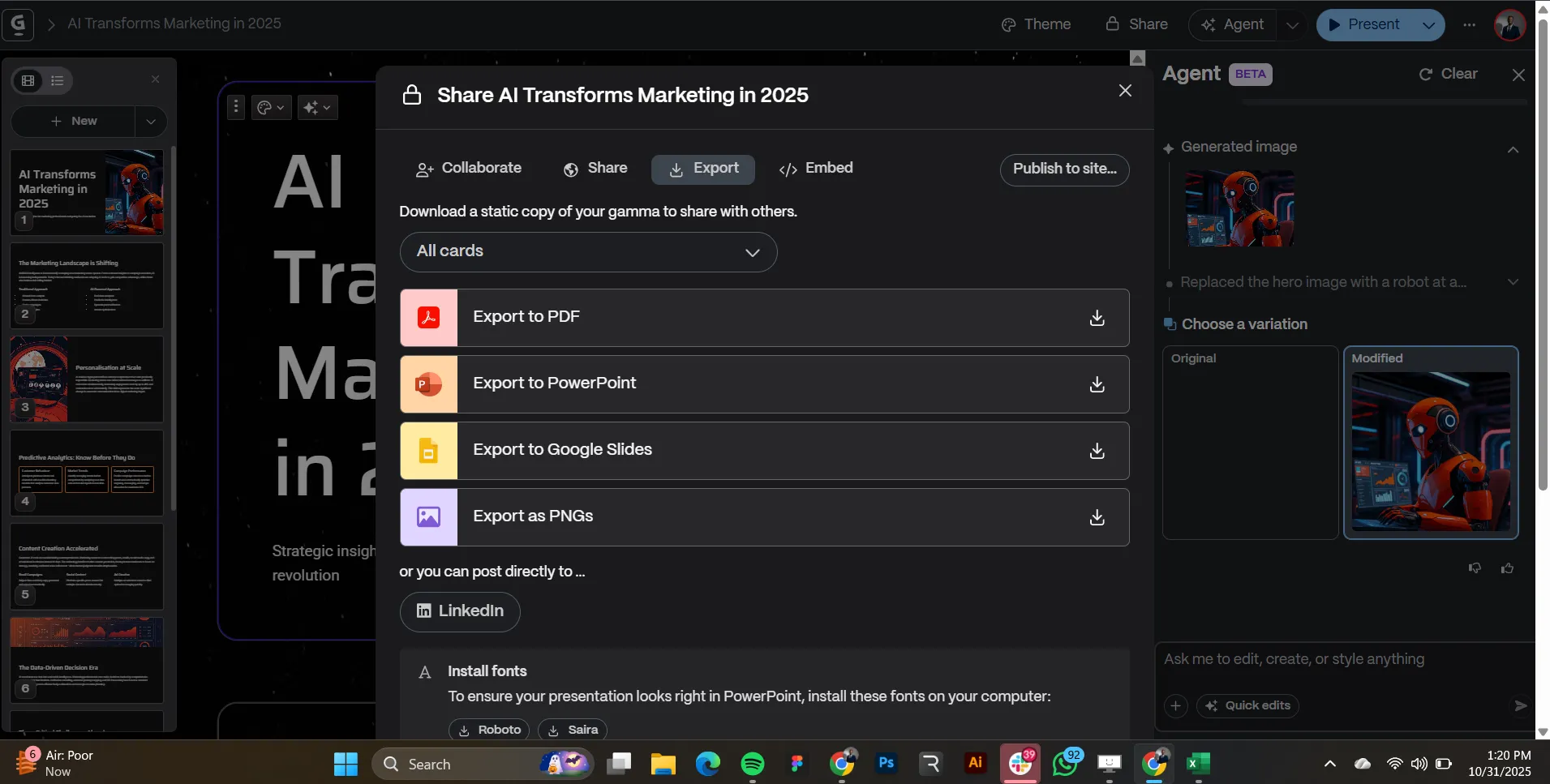
- Export to PowerPoint, Google Slides, PDF, or images
- Post to LinkedIn directly
- Embed on your site via a small code snippet
- Duplicate decks to spin variations (client, region, language)
Collaboration, Comments, Versions
- Invite teammates, thread comments
- Version history to track/restore changes
- Duplicate for A/B narratives and quarterly refreshes
Beyond Decks: Docs, Posts, and Pages
- Turn long notes into a document (A4/Letter)
- Generate a batch of social posts from the deck’s key points
- Publish a simple site for a launch or internal hub
Real-World Use Cases (With Examples)
1) Agency Pitch
- Prompt: “Build a 10-slide proposal for a DTC skincare brand using AI-driven retention.”
- Output: Problem framing, roadmap, projected lift, timeline, case-study placeholders.
- Action: Apply brand fonts + logo, export to PPT for legalese, ship.
2) Internal Training
- Prompt: “Onboarding deck for new SDRs: ICP, scripts, CRM hygiene, objections.”
- Output: Clear sections, role-play templates, objection-handling table.
- Action: Embed on intranet; use versioning for updates.
3) Course Content
- Prompt: “Turn this 1,200-word lesson on prompt engineering into slides + PDF handout.”
- Output: Lecture deck + printable doc; tease as a LinkedIn carousel.
4) Trend Briefing
- Prompt: “How AI is changing marketing in 2025.”
- Output: Channel shifts, creative automation, measurement upgrades, risk checks.
- Flair: Swap in the robot-at-computer hero. Present.
Practical Tips We Wish We Knew Sooner
- Start messy, refine fast. One-liner prompt → draft → 2–3 surgical edits.
- Pick a theme first. Saves reformatting during edits.
- Write like a presenter. Verbs up front, 3 bullets max, one idea per slide.
- Set an image style prompt. Prevents Franken-visuals.
- Export intentionally. Need approvals? Export to PPT/GSlides and lock it down there.
- Use the assistant. “Tighten bullets,” “simplify charts,” “add a one-slide summary.”
A 7-Minute Workflow We Recommend
- Prompt: “Create a 10-slide deck on [topic] for [audience], tone [practical/data-driven].”
- Theme: Pick a preset (e.g., Nebuli) or apply your brand.
- Tighten: “Condense each slide to ≤3 bullets, action verbs only.”
- Visuals: “Add 2 data callouts with contrasting badges per slide.”
- Brand polish: Confirm fonts/colors, logo, accessibility contrast.
- Edits: Swap 1–2 images via assistant with exact descriptions.
- Ship: Present, share link, export, or embed.
When to Use Gamma vs. Other Tools (Fast Comparison)
Use Gamma when you need:
- Speed to structure: Idea → deck in minutes
- Auto-design: Cohesive layouts out of the box
- Brand-in-a-click: Theme swaps + custom themes
- Repurpose: Slides → doc → posts → one-pager site
Consider others when you need:
- PowerPoint/Google Slides: Deep enterprise templates, complex charting, macro-heavy workflows, offline/air-gapped work
- Canva: Rich marketplace of templates/elements, social-first assets, teams already living in Canva
- Beautiful.ai: AI layout help with corporate-y polish, strict layout constraints for consistency
Risks, Limits, and Edge Cases
- Free plan cap: Up to 10 slides per generate. Longer decks = regenerate in sections or upgrade.
- Export fidelity: 90–95% faithful. Expect occasional icon spacing, chart reflow, or font substitution tweaks in PPT/GSlides.
- Brand fonts: Custom font uploads require higher-tier plans; otherwise pick closest matches.
- Data & privacy: Shared links are, well, shareable. Use org-level permissions + exports for sensitive material.
- Web-sourced claims: Don’t blindly trust stats. Keep your own sources and replace generic callouts with verified numbers.
- Consistency in AI images: Lock an image style prompt to avoid mismatched art directions.
- Governance: If legal/compliance reviews are strict, export to PPT/PDF and route through standard approval flows.
- Offline use: Browser-first tool. If you need offline edits/presenting on a plane, export to PPT/PDF beforehand.
Key Takeaways
- Speed: Credible 10-slide drafts in minutes—content + layout together.
- Design: One-click themes or full custom branding (colors, fonts, logo, image style).
- Control: Edit naturally; AI handles layout, images, and sizing.
- Distribution: Present live, share links, export everywhere, embed on your site.
- Versatility: Decks, docs, posts, and simple sites from the same source.
- Reality check: Mind the 10-slide cap, export tweaks, and governance needs.
Blank slides are optional now. Thinking is not. Let Gamma handle the production so we can focus on the message.
Tega AdeyemiOctober 31, 2025