
You don’t need a PhD to build your first AI agent. Just some clear instructions, the right tools, and a mindset shift. Let’s break it down — step by step.
We once watched someone try to “use an AI agent” for the first time. He stared at the screen, confused, then whispered to himself:
“Okay… this is either going to change my life… or destroy my inbox.”
He typed:
“Reply to Jono and confirm coffee at 2pm tomorrow.”
And what came back?
A beautiful email draft — polished, friendly, and perfectly worded.
One small problem: it didn’t send.
It didn’t even check if Jono was free.
Because what he was talking to wasn’t an AI agent.
It was just a plain old language model.
If you’ve ever found yourself in that same spot , impressed but underwhelmed. This post is going to change the game.
We’ll break down what AI agents actually are, how they work, how they’re different from plain chatbots and workflows, and then we’ll walk you through building your first real one using OpenAI’s Agent Builder in under 10 minutes.
Let’s go.
Most People Overcomplicate AI Agents
The word agent makes it sound like you're hiring Jason Bourne.
But really, it’s more like building a digital employee with a brain, memory, tools, and instructions.
There are three key layers to understand:
- The Language Model – like ChatGPT or Claude. It thinks.
- The Workflow – like Zapier or Make. It connects things.
- The Agent – it thinks, remembers, chooses actions, and actually does stuff on its own.
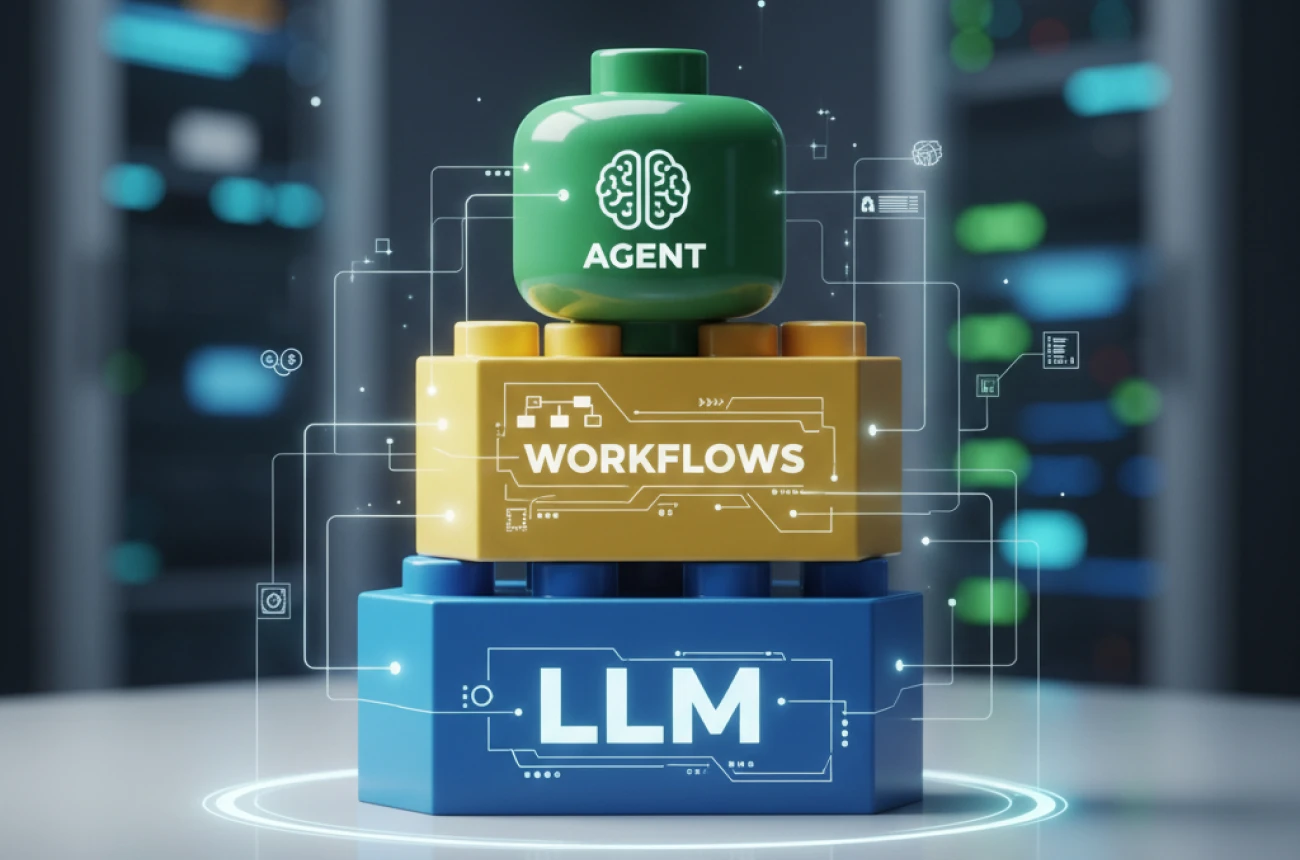
Once you understand this layering, the magic becomes simple. Modular. Buildable liKe LEGO.
Let’s break each piece down.
Layer 1: Language Models (LLMs)
This is where most people start and stop.
LLMs like GPT-4, Claude, or Gemini respond to your input. You give it a message; it gives you a message back. That’s it.
Example:
You: “Reply to Jono, confirm coffee 2–3 p.m. tomorrow.”
LLM: [Perfect email draft appears]
Nice, but… passive.
It doesn’t know your calendar. It won’t send the email. And it won’t remember anything unless you keep the chat open.
That’s the ceiling of standalone LLMs.
We need to level up.
Layer 2: Workflow Automation
Next, we get into tools that connect things.
Platforms like Zapier, Make, or IFTTT let you set up "when this, then that" rules — like:
- When I receive an email → generate a reply
- When someone fills out a form → add them to a CRM
- When Jono messages me → send a follow-up email
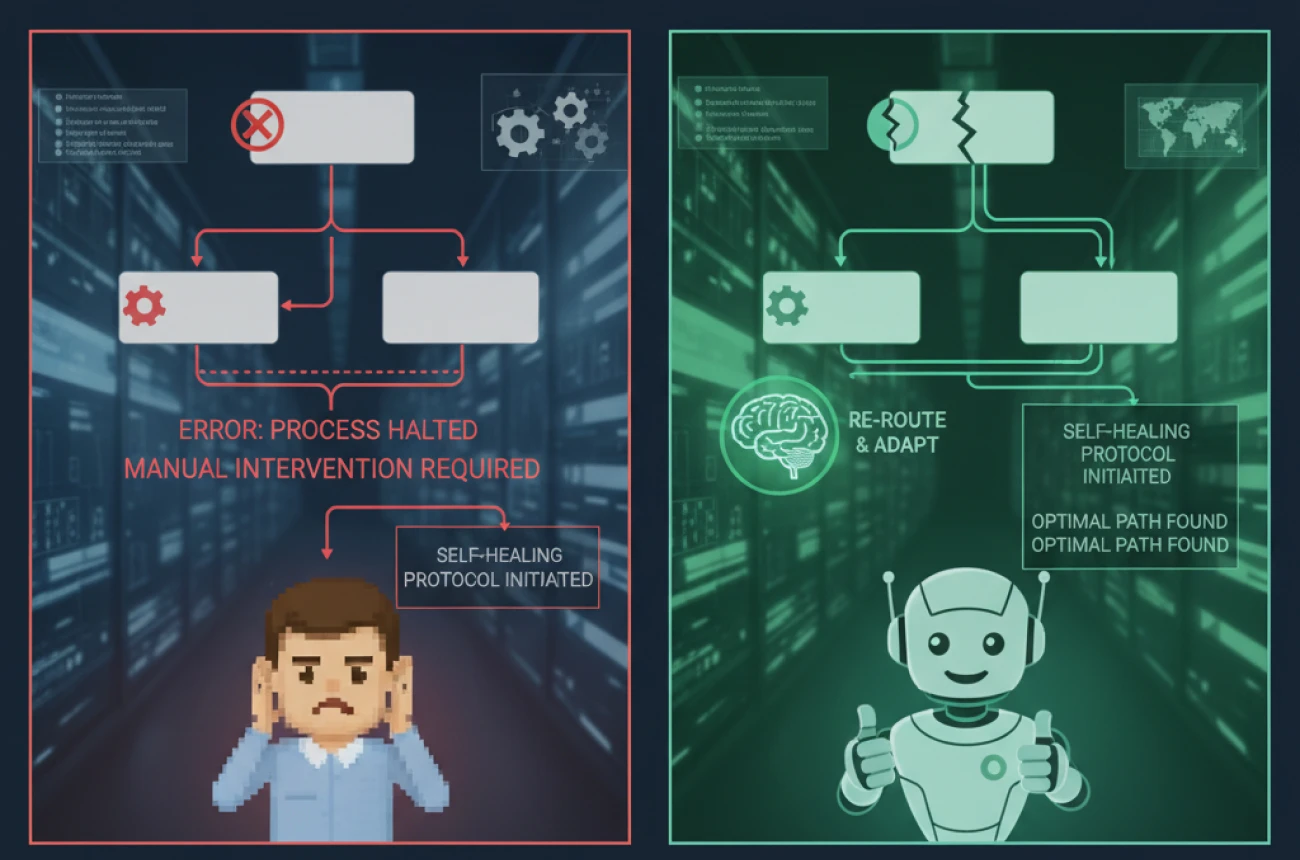
These workflows are great. But they’re fragile.
One broken step? The whole chain collapses. There’s no logic, no decision-making, no recovery.
Workflows are like IKEA instructions. Step 1 → Step 2 → Step 3.
If Step 4 breaks, you’re stuck.
So... what if instead of a manual, you had a person?
That’s where agents come in.
Layer 3: AI Agents (The Digital Employee)
An AI agent is not a fancy chatbot.
It’s a thinking, remembering, tool-using assistant.
Imagine hiring a junior team member:
- You give them clear instructions (system prompt)
- They can figure out what to do (LLM brain)
- They remember past tasks (memory)
- They have access to your tools (Gmail, Slack, Sheets)
- They can report back (response)
That’s exactly how an AI agent works.
Let’s say you want your agent to handle customer follow-ups:
- It checks if the order was shipped (via Shopify)
- Finds the tracking number
- Sends an update to the customer via Gmail
- Logs everything in your CRM
This is way beyond just generating text.
It thinks. It adapts. It acts.
Let’s Build One With OpenAI Agent Builder
We’re now using OpenAI’s Agent Builder an official tool that lets you build powerful, customizable agents with memory and tool use.
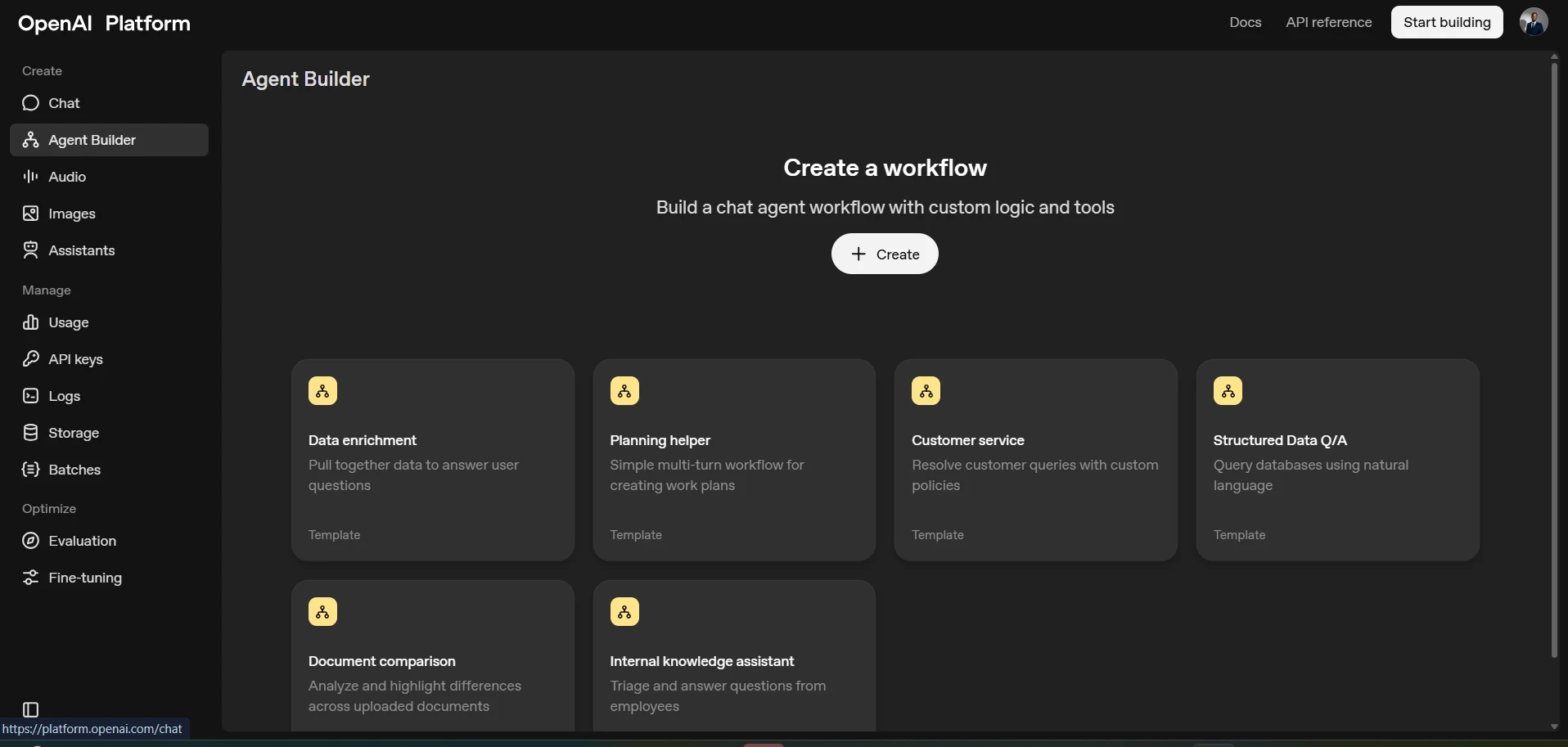
Step 1: Head to the Assistant Builder
Visit platform.openai.com/assistants and sign in with your OpenAI account.
Step 2: Create a New Assistant
Click Create an assistant. Give it a name (e.g. “Inbox Assistant”) and select GPT-4 or GPT-4-turbo as the base model.
Step 3: Set Up the Instructions (System Prompt)
Here’s where you tell your agent what kind of teammate it is.
Example:
“You are a smart, reliable assistant. When asked to send an email, always check contacts first. If an email is missing, ask the user to confirm. Once you have the email, draft and send the message, then confirm completion.”
Step 4: Add Tools
Enable:
- Code Interpreter (for data and logic tasks)
- Knowledge Retrieval (for document memory)
- Function Calling (for tool integration)
You can also link external APIs — like Gmail, Google Contacts, or Slack using functions in the OpenAI API.
Step 5: Test It in Playground or API
Go to the Playground tab. Say:
“Send Jono an email confirming coffee at 2pm tomorrow.”
Your agent:
- Searches for Jono’s email
- Drafts the message
- Sends it via Gmail (with the right function integration)
- Replies back when it’s done
It’s not just automation. It’s delegation.
Give Your Agent Clear Instructions
Just like training a new hire, agents work best with clarity.
Structure your system prompt like this:
- What tools it can use
- The order of operations
- Guardrails (what not to do)
- Response format preferences
This way, your agent performs consistently even as you give it more complex tasks over time.
Use Cases That Actually Help You
You just built an agent that:
- Finds a contact
- Sends an email
- Reports back
Now expand it:
- CRM Agent → Add new leads and follow up
- Customer Support Agent → Track orders, resolve tickets
- Marketing Agent → Summarize campaign stats and draft reports
- Scheduling Agent → Book calendar slots and coordinate via Slack
- Internal Ops Agent → Monitor tasks, notify stakeholders, prep docs
If you can describe it, your agent can probably do it.
Final Takeaways
Let’s zoom out and recap:
- LLMs generate text.
- Workflows automate steps.
- AI agents combine both — with memory, reasoning, and action.
- OpenAI Agent Builder makes it simple to create your own in minutes.
- Agents aren’t just reactive. They’re proactive digital teammates.
So next time you think, “Ugh, I wish I didn’t have to do this myself,”
Ask yourself: “Could an agent handle this for me?”
Most of the time, the answer is yes.
And if it isn’t now, it will be soon.
Want More Like This?
We publish weekly deep dives into practical AI builds, including walk-throughs you can copy and use.
Subscribe to get tools that actually save you time, not just impress you.
Tega AdeyemiOctober 24, 2025.